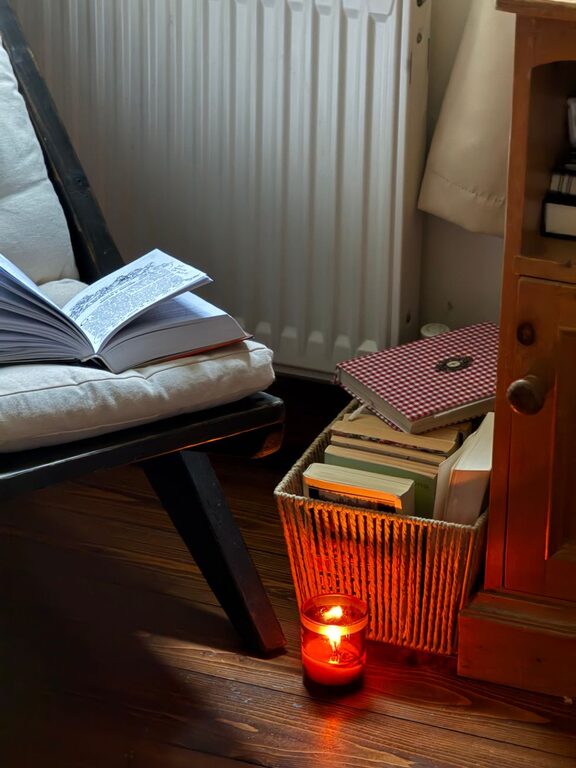
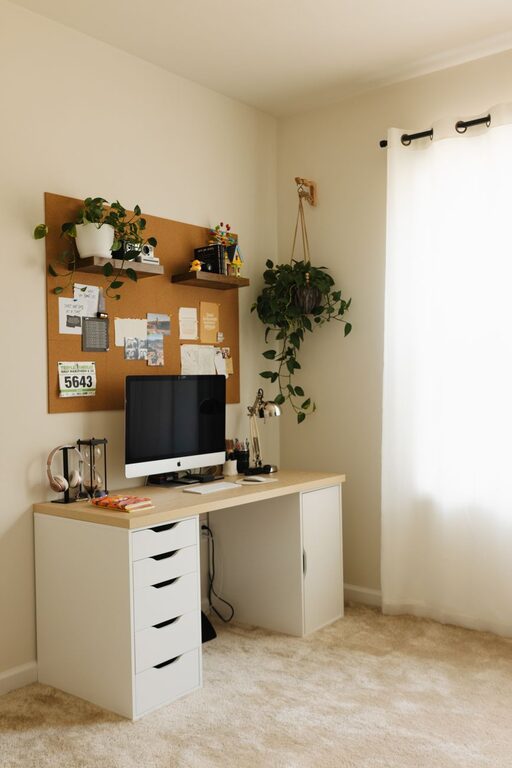
Creating a home workspace that feels both cozy and functional can make a significant difference in how productive and comfortable you are during your workday. Whether you’re working full-time from home, freelancing, or managing household tasks, having a dedicated and well-designed area can help boost your focus and reduce stress. Here are some practical tips to help you set up a space that supports both comfort and efficiency.
1. Choose the Right Location
Consider Natural Light
Position your workspace near a window, if possible, to benefit from natural light. Natural daylight helps regulate your body clock, improves your mood, and reduces eye strain. Be mindful of glare on your computer screen by adjusting furniture placement or installing curtains or blinds.
Minimize Distractions
Select a quiet corner or room where you are less likely to be interrupted. If you don’t have a separate room, try to create a physical boundary using shelves or a room divider to separate your work area visually from living spaces.
2. Invest in Comfortable, Ergonomic Furniture
Choose an Ergonomic Chair
Your chair should support your lower back, encourage good posture, and be adjustable in height. Sitting comfortably reduces fatigue and helps prevent back and neck pain.
Opt for a Functional Desk
Pick a desk that fits your needs and space. It should have enough surface area for your computer, documents, and other work essentials. Consider options with built-in storage or space to hide cables to keep the area tidy.
Consider Standing Desk Options
If you want to reduce time spent sitting, look into adjustable desks that allow you to alternate between sitting and standing.
3. Organize Your Workspace Efficiently
Declutter Regularly
A clutter-free workspace reduces stress and helps you stay focused. Keep only the items you use daily on your desk, and store the rest out of sight.
Use Storage Solutions
Incorporate shelves, drawers, or organizers to keep papers, office supplies, and gadgets neatly stored. Vertical storage can save floor space and keep essentials within reach.
Cable Management
Use cable clips, sleeves, or cable boxes to keep wires untangled and off your desk.
4. Personalize Your Space for Comfort and Inspiration
Add Personal Touches
Including a few personal items, like family photos, artwork, or plants, can make your workspace feel more inviting and boost your motivation.
Introduce Soothing Colors
Choose calming colors for your walls and décor, such as soft blues, greens, or neutrals. These shades are easy on the eyes and can create a relaxing atmosphere.
Consider Lighting
In addition to natural light, use layered lighting such as a good overhead light combined with a desk lamp. Adjustable lighting helps reduce eye strain and adapts to different tasks.
5. Create a Healthy and Functional Environment
Maintain Good Air Quality
If possible, place your workspace near an open window to keep fresh air circulating. Adding a small air purifier or indoor plant can also improve air quality and provide a touch of nature.
Manage Noise
If background noise distracts you, consider noise-cancelling headphones, white noise machines, or soundproofing solutions such as rugs and curtains to dampen noise.
Keep Refreshments Handy
Having water, tea, or coffee nearby helps you stay hydrated and energized without frequent breaks.
6. Establish Clear Boundaries and Routines
Define Work Hours
Set clear start and end times to maintain work-life balance. This schedule helps you stay disciplined and signals to others when you’re available or focused.
Take Regular Breaks
Use techniques like the Pomodoro method (working in focused intervals with short breaks) to recharge and avoid burnout.
End-of-Day Ritual
Develop a routine to tidy your workspace and shut down your devices. This habit signals the transition from work to personal time.
Conclusion
Designing a cozy and functional home workspace involves thoughtful decisions about location, furniture, organization, and personal comfort. These elements work together to create a space that supports your productivity and well-being. By following these tips, you can build a home workspace that feels inviting and helps you do your best work every day.
Remember, it’s okay to adjust your setup over time as your needs evolve—your workspace should grow with you!
About the Author